Download Change Hairstyle free on android
APK file Change Hairstyle 4.23How to install APK / APKS / OBB file on Android
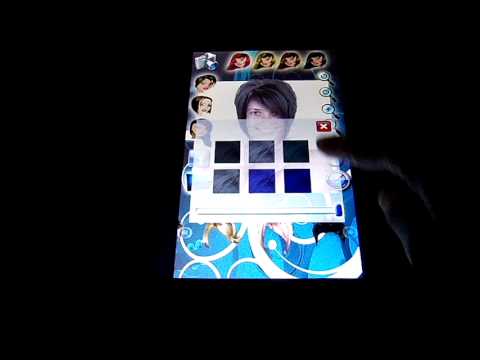

Change hairstyle is useful and fun at the same time - It allows you to try different hairstyles before going to the hair salon. There is no drawings, all hairstyles are natural hair. Short, medium, or long, straight, curly, or in different colors... all you have to do is pick a picture of you and begin the beauty session.
Start to use this hair changer by selecting a photo from your gallery by tapping on the camera. Select from three types of hairstyles - short, medium, or long. In the hairstyle bar, choose the one you like best among many. Adjust the position and the size of your photo to the hairstyle. You can rotate the photo with the rotation buttons, invert the hairstyle and adjust it to you.
If you like the results, save them by tapping on the icon in the bottom left .
Try many more hairstyles from the wide range offered by our hair changer and compare how they look on you.
Don't miss the opinions of your friends! Share on Facebook or on any other social network on your cell phone. This is easy with this Change Hairstyle!. Enjoy and find your hairstyle every time you're in the mood for a change!
- LicenseFree
- File nameChange Hairstyle
- File Version4.23
- Package namedroidconsulting.smarthairstylead
- Size21.97 MB
- UploadedFebruary 13, 2025
- Android7.0 or later

- CategoryPhotography
- DeveloperDelka&Toni
- Developer emailchristmaswallpapersandgames@gmail.com
- md5 hashd658e35ad6c4b8de8b656f6b77a11798
- Architecture-
- Permissionsshow (7)
